

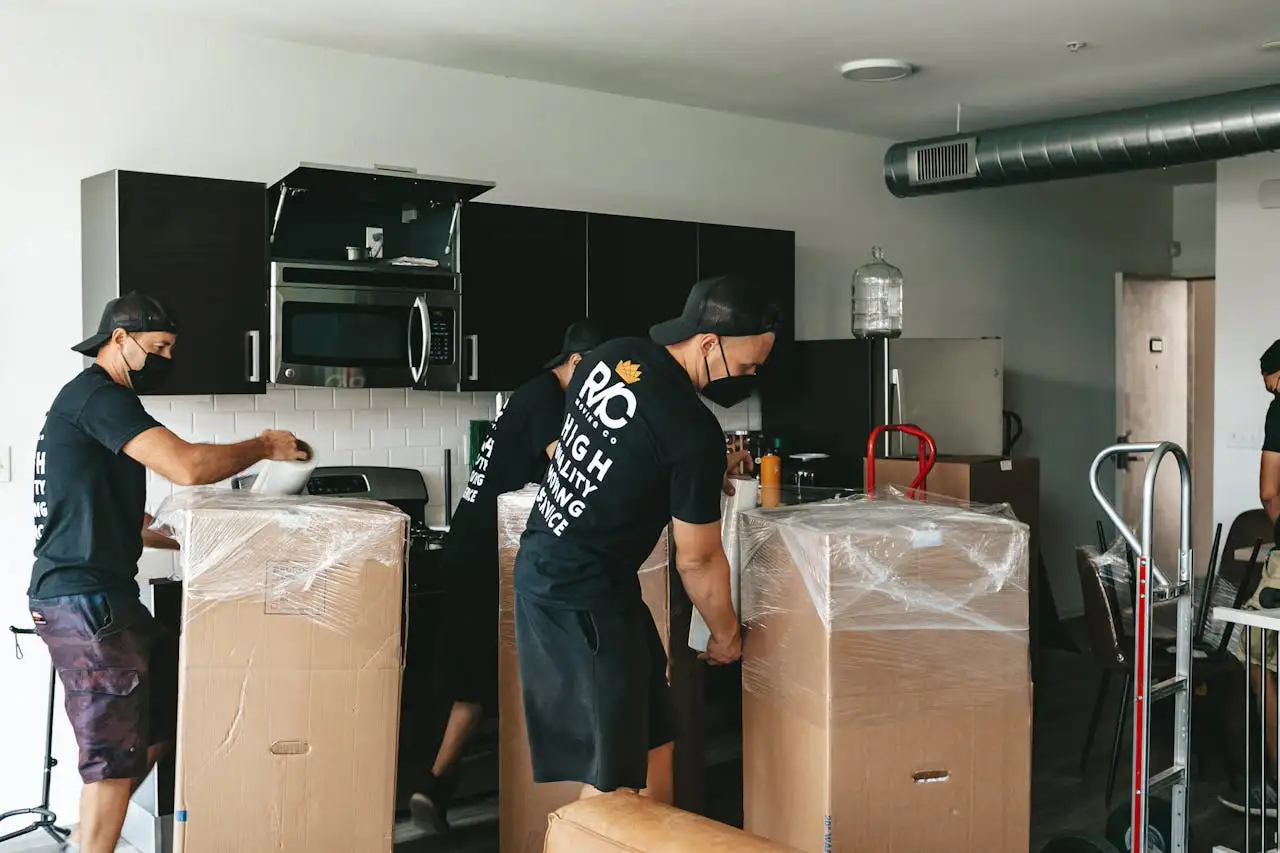
What to Expect When You Hire a Furniture Installation Team
If you’ve ever walked into an office space where the furniture was poorly installed—misaligned desks, scratched panels, wires everywhere—you know how badly it can go. Having worked many years advising clients on furniture procurement and installation, I’ve learned what separates a smooth, professional install from one that drags on, costs more than expected, and leaves you chasing issues. This article is your deep dive into what happens before, during, and after hiring a furniture installation team—so you can go in with eyes open and hold your project to a high standard.
Why the Installation Team Matters
You might think the hard part is picking furniture. But often the biggest risk to your budget, timeline, and workspace quality lies in the installation. A competent installation team is the difference between furniture that works as designed and furniture that simply occupies space.
Here’s what a good team brings:
- Precision: correct placement, level frames, aligned panels, well-managed cables.
- Efficiency: fewer delays, fewer surprises because they know the building, the challenges, the logistics.
- Accountability: documented on-site checks, clear communication, cleanup.
- Durability: installs done right reduce long-term maintenance issues (broken casters, misaligned drawers, etc).
On the flip side, I’ve seen installations where there wasn’t proper coordination with lifts, the staging area was ignored, old furniture was still in place, safety protocols skipped—delays hit, cost escalated. One industry source put it plainly: lack of preparation, poor credentials, and weak communication are the top mistakes.
When you hire your team, don’t treat this as “just furniture moving”; treat it as a project with deliverables, risks and checks.
Pre-Install: What You Should Do
A smooth installation starts well before the delivery truck backs up. If you skip the prep steps, you’re opening yourself up to delays, cost overruns, damaged furniture, and frustrated staff.
1. Finalise the layout and documentation
Make sure you have a final, approved layout plan: exactly where each desk, screen, storage module goes. Share that plan with your installation team ahead of time so they arrive with the correct mindset and tools.
If the team arrives and the plan is unclear, they’re going to improvise—and improvisation always eats budget, time and quality.
2. Logistics & site readiness
You need to confirm:
- Building access: freight elevator reserved, loading dock designated, entry path cleared.
- Staging area: space for cartons, tools, excess parts—so corridors aren’t blocked.
- Security: badge access, elevator shutdown times, building management sign-offs.
- Utilities: data/power locations, floor boxes available, cable pathways clear.
If the installer can’t easily get in, unload, and move pieces to their location, you’ll be looking at delays. One article notes this often happens when staging and access aren’t locked ahead of time.
3. Clear the space & manage existing furniture
If you’re installing in a live office, or replacing old furniture, you must ensure that previous furniture is removed or scheduled for removal before installation begins. Also clear walkways, fragile items, obstructions.
Unexpected items in the workspace will slow the installer and might even force them to stop until things are cleared.
4. Designate a point-of-contact and communication plan
Who will the installer talk to on-site? Who is making decisions if something unexpected comes up?
Set out:
- On-site contact names and mobile numbers.
- Communication protocols: e.g., installer will text when loading bay arrives, when they start each zone, when complete.
- Issue escalation: say “if X happens, we call and decide.”
Without this, small issues become big ones—because everyone is waiting for someone else.
5. Safety & building rules
Ensure your install team is aware of any building/regulation rules: e.g., fire doors, elevator usage, after-hours access, PPE (personal protective equipment).
If you skip this, you might face penalties, delays, or headaches.
During Installation: What to Expect From the Team
Once the truck arrives and install begins, the difference between a pro team and a run-of-the mill team is obvious. These are the behaviours and actions you should expect—and must monitor.
Arrival & staging
- The team should arrive on schedule, check in with your point of contact, review the layout and plan.
- They should use protective materials (blankets, corner guards) when moving furniture to avoid damage.
- Staging should be organised: items separated by zone, enough space for movement, tools accessible.
Systematic workflow
- The installation should proceed zone by zone rather than “random placement.” This helps you monitor progress and avoid chaos.
- The team should check every piece as it’s installed: level surfaces, alignment, hardware torque (especially with modular systems).
- Wiring and cable management should be integral—not an afterthought. Wires should be hidden, labelled, properly terminated.
Poor cable management or power/data oversights are among the most common complaints post-install.
Quality checks & documentation
- Good teams document as they go: “desk 1 installed at 10:15, level checked, wiring terminated”.
- They should flag any missing parts, damaged modules, or variations from plan immediately.
- At the end of each zone or day, they should do a quick review with your on-site contact.
Cleanup & hand-over
- At the end of installation, the team should clean the workspace: remove rubbish, cartons, leftover packaging.
- They should conduct a formal walk-through with you (client): you inspect and sign-off on what’s complete.
- They should leave a punch-list of items to finish (if any) with expected timelines.
If the team leaves garbage in corridors, unlabelled wires, or incomplete items without notification, it signals lack of professionalism—and you’ll pick up the cost.
After Installation: What Happens Next
Even after the furniture is “in place,” your responsibility continues—and the quality of the installation team shows up in the weeks that follow.
Post-install inspection and feedback
Within a week you should inspect:
- Were all pieces delivered and installed as expected?
- Are all workstations level, stable, aligned?
- Are all cable/power/data pathways functioning?
- Are there any chips, scratches, missing hardware?
- Are the furniture units functioning (drawers opening, pedestals sliding, height-adjustables moving).
If any issues remain, they should be documented and addressed by the installer under the punch-list.
Documentation & warranties
The installation team should hand over:
- A completion certificate or sign-off document.
- A list of modifications or deviations from original plan.
- Any manufacturer warranty or maintenance data.
- Care instructions or “what to avoid” for the furniture (especially if modular).
These documents matter: they give you recourse if something fails, they help maintenance, and they protect your investment.
Maintenance & lifecycle thinking
The installation was not just about “today.” The way furniture is installed impacts how long it lasts and how easy it is to reconfigure later.
Good teams think future-state: modularity, access for changes, ability to move modules with minimal downtime.
Bad installations tend to lock things in: cables hidden but inaccessible, panels fixed that should be movable, layouts that obstruct future change.
If you plan to reuse or reconfigure furniture, insist on this from the start.
Monitoring & feedback loop
- Check in with user-groups after a month: any complaints about furniture alignment, ergonomics, storage accessibility?
- Note any parts that need adjustment or repair: screws loosening, uneven leveling, drawer tracks not smooth.
- Use these data points to inform future projects: what worked, what didn’t, what installer behaviours mattered.
Key Questions to Ask When Selecting an Installation Team
Before hire, you should vet the team carefully. The right questions separate competent teams from the risky ones.
- Do you have experience with the particular furniture system / manufacturer we are using?
- Can you provide a project timeline with milestones?
- Who is our point‐of‐contact and how is communication handled?
- What is your process for site logistics, staging and access?
- What protective measures do you take to avoid damage during install?
- What documentation do you provide post-install?
- How do you handle punch-list items or warranty issues?
- Do you manage cable/power/data termination or is that separate?
- What safety measures do you enforce on-site (PPE, lifting protocols, etc.)?
- Are there any anticipated additional costs (parking, after hours, building fees) not included in the quote?
A team that hesitates or avoids these questions is a red flag.
Common Mistakes & How to Avoid Them
Identifying typical pitfalls is key to staying ahead of them. Based on many projects I’ve overseen, here are the common mistakes—and how to avoid them.
Under-preparing the site
If staging area, elevator reservation, building management coordination aren’t settled, install day will drag.
Avoid it by: Setting detailed logistics meetings 1-2 weeks ahead of install. Confirm with building and installation team.
Incomplete specification or unclear scope
Without clarity on layout, furniture list, and cable/power/data requirements, the installer operates in the dark.
Avoid it by: Finalising layout and spec, sharing them with the installer well in advance. Include detailed drawings where possible.
Choosing inexperienced or generic installers
Furniture installation has nuances—especially office furniture (modular systems, cable integration, warranties). Some vendors note inexperienced teams cause damage or extend timelines significantly.
Avoid it by: Checking references, ensuring the team has specific experience in your type of installation.
Weak communication during install
When no one is available on-site to answer questions or changes, teams pause or move forward with assumptions (which may cause issues).
Avoid it by: Having a dedicated on-site contact who is briefed and empowered to make decisions.
Ignoring punch-list and follow-up
Some teams treat “installed” as “done” and leave loose ends. Over time these accumulate and degrade workspace quality.
Avoid it by: Insisting on a punch-list, timeline for follow-up, and documenting hand-over.
Real-World Insights Worth Knowing
Here are some less obvious, but impactful insights I’ve gathered that you should factor in.
- The “change cost” is very real. If your install team uses fixed joinery or non-modular systems, future reconfigurations cost more. One source noted that poor installation planning raised change cost significantly.
- Furniture warranties may be voided if assembly or installation isn’t done by certified installers. Make sure your installer meets manufacturer requirements.
- Cable and data pathways are often underestimated. Many installs deliver desks and chairs but don’t ensure data/AV infrastructure aligns. This is often blamed on the installation team—but the scope must include it.
- Building management coordination is a hidden cost. Elevators reserved late, after-hours access not planned, parking or loading dock fees—if not managed, these hit your budget and schedule.
- Moving furniture within live offices (during hours) demands segregation of zones, noise management, safety signage. An experienced installation team will address this proactively.
Wrapping It Up: Your Accountability Framework
Since you’re treating this as a strategic investment, let’s set the framework for your accountability—what you must track and expect.
Before installation
- Finalised layout and installation plan approved.
- Logistics confirmed (access, staging, load-in).
- Building approvals, elevator reserved, staging area cleared.
- On-site contact assigned.
- Installation team credentials reviewed and vendor contract signed.
During installation
- Installation team followed schedule.
- Zone by zone delivery, quality checks.
- Cable/power/data management handled.
- Daily updates to your on-site contact.
- Protective measures in place (blankets, guards).
- Corridors and paths kept clear, staging under control.
Post-installation
- Full inspection by you.
- Checklist completed, punch-list items logged with timeline.
- Documentation handed over (warranties, sign-off).
- Users surveyed after initial use for any issues.
- Ongoing maintenance/adjustment plan mapped for future change.
By running the installation as you would a project—tracking things, holding parties to commitments, reviewing outcomes—you’ll avoid many of the frustrations that others endure.