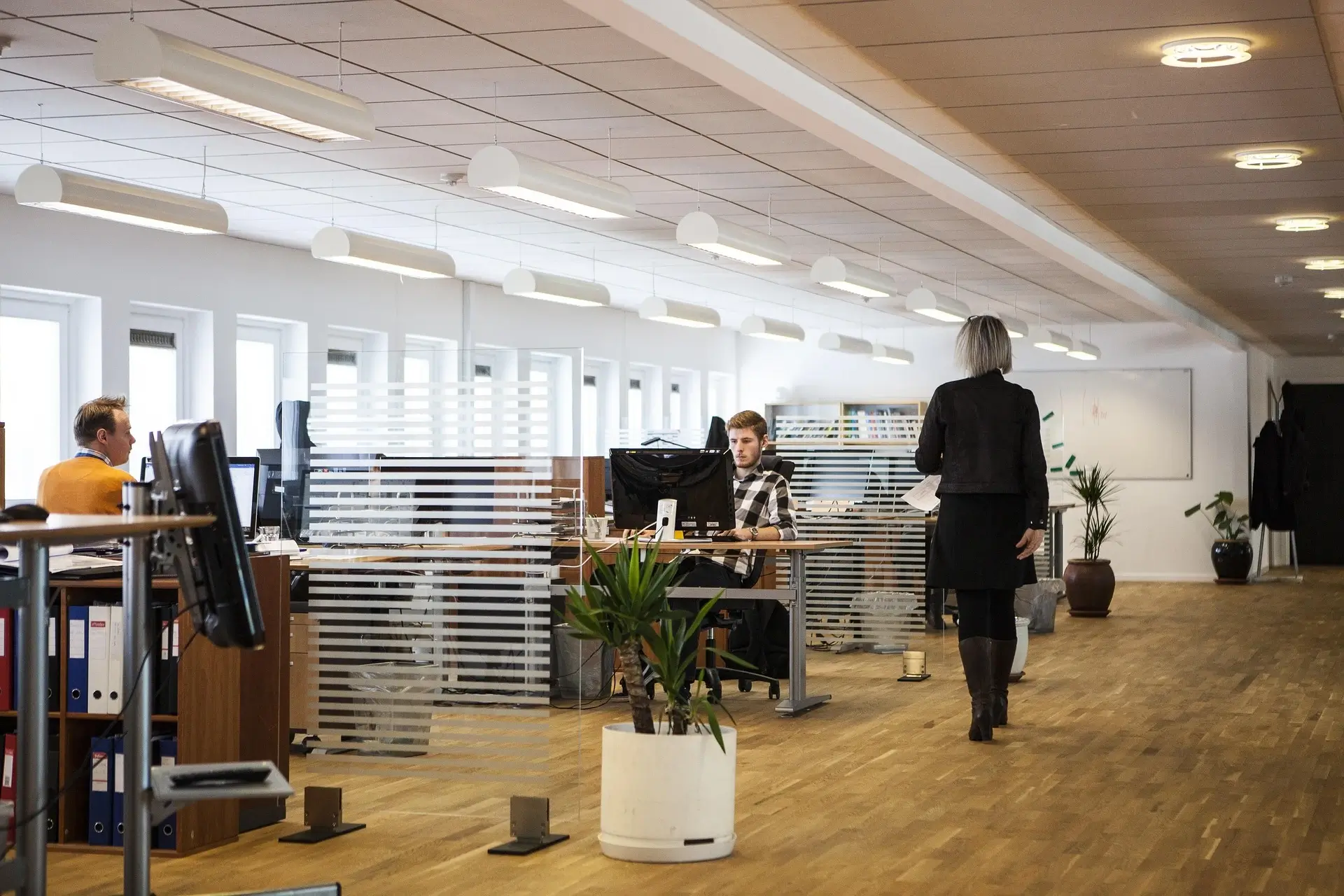

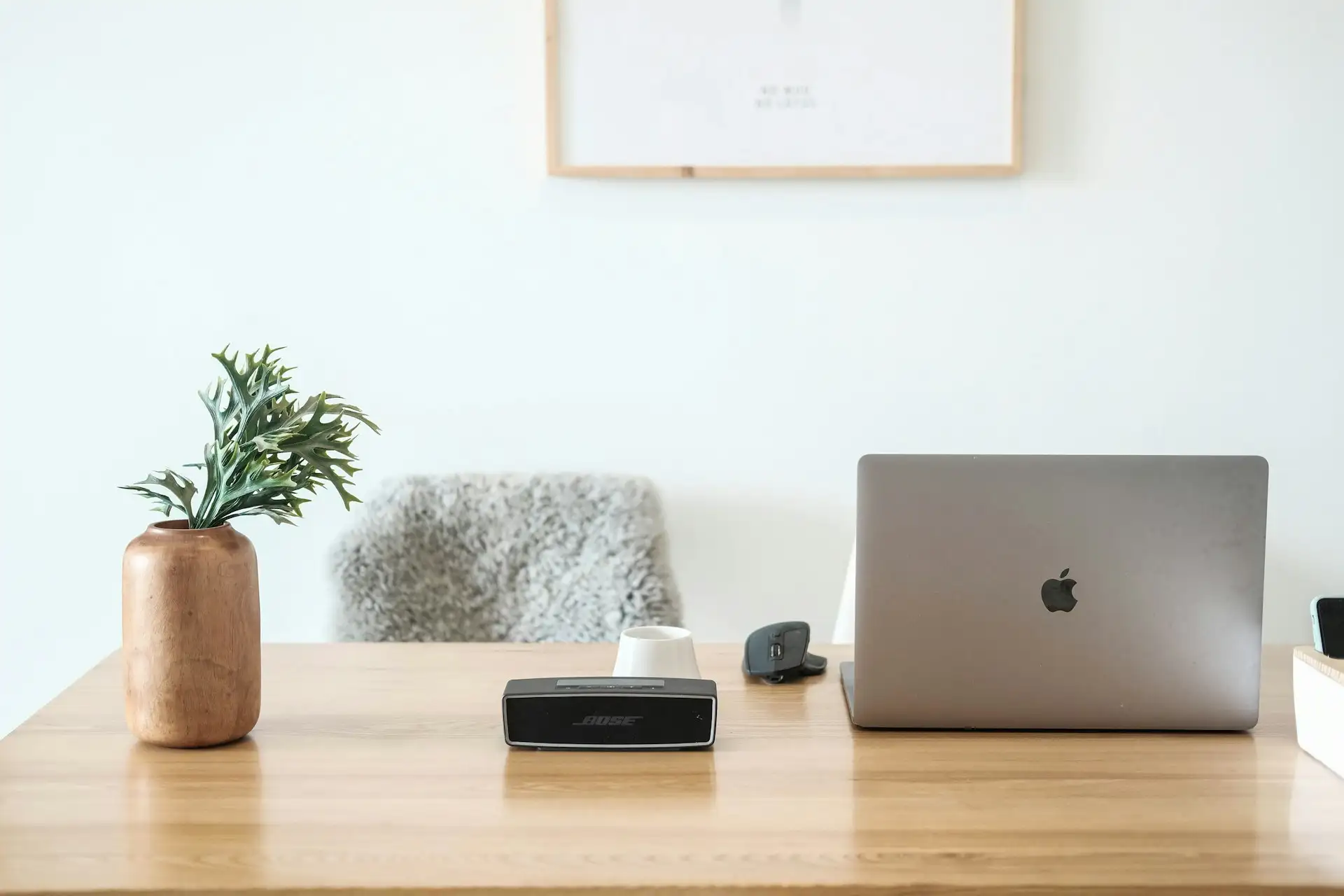
Picking the right desk is one of the most undervalued moves in setting up a productive workspace—whether it’s at home or in the office. I’ve seen far too many people choose a desk purely on how it looks and then regret it months later when discomfort, lack of surface, awkward cable messes or storage chaos start to drag down productivity. This isn’t just furniture—it’s your command centre. Time to treat it like one.
In this comprehensive guide I’ll walk you through everything: how to assess your space, how to think about shape and style, materials, ergonomics, storage and cable management, future‑proofing, budgeting, and what to avoid. No fluff. My goal: you end up with a desk that not only looks good but works for you—every day.
1. Clarify your use‑case and environment
Before even looking at desks, you must be clear on how you’ll use it and where it will live.
What will you do at the desk?
- Are you doing mostly computer work (one monitor, laptop)?
- Will you be using dual monitors, external GPU or heavy equipment?
- Will paperwork, drawing, reading or creative work be a part of it?
- Will you switch between sitting and standing?
Each scenario demands different attributes. For example, someone using dual monitors and a full PC tower will need deeper surface and better cable management than someone using a laptop to jot notes.
Where is the desk going?
- In a dedicated room or a shared space (living room corner, bedroom, etc)?
- How big is the footprint? What clearance do you have for a chair, leg movement, walking around?
- Are you near power outlets? How’s lighting?
It’s surprising how many people love a desk on paper then find it physically too small, too shallow, blocks movement, or forces awkward chair positions. Good guides emphasise measuring width, depth, height & clearance before anything else.
On Reddit someone summed it up nicely:
“I’d first look at the ergonomics of the situation … determine best height … Also, something like the surface / frame material (will you want to drill into it …)”. Reddit
Set your functional priorities
To avoid being swayed purely by aesthetic appeal, decide upfront what matters:
- Surface area vs. space constraints
- Sitting vs. standing vs. convertible height
- Storage/drawers vs minimal clean surface
- Cable management & electronics integration
- Material/durability vs budget
Once you have these priorities mapped, the rest of the decision becomes much easier.
2. Size, shape & layout considerations
Now we drill into the meat: the desk’s footprint and form.
Desk size (width, depth, height)
- Width: How many items will sit on the desk? One monitor + laptop + notes? Then maybe 48‑60 inches wide. Two monitors + peripherals may need 60+ inches.
- Depth: Standard desks often ~23‑24” (≈60 cm) deep, but many users find 28‑30” (≈70‑75 cm) gives proper monitor distance + space for keyboard, mouse, writing. Reddit users note “60 cm or 23.6” deep … 70 cm feels better for me”.
- Height: If fixed height, roughly 28‑30” (≈71‑76 cm) is common. But your body size, chair, monitor height matter. Some makers suggest your forearms when typing are roughly parallel to the floor.
- Clearance / leg room: Don’t forget to allocate space for your chair, legs, rolling movement. Especially if you’ll switch between sitting and standing or have a large chair.
Desk shape – which fits your space and workflow
- Rectangular: The standard go‑to. Works in many rooms.
- L‑shaped: Great for multitasking, corner placement, dual‑monitor setups. Guides recommend this for home offices when you have space.
- U‑shaped: Big footprint; ideal if you have a dedicated large office, want multiple surfaces.
- Corner/triangular: Fit tight spaces or maximize corner real‑estate.
- Wall‑mounted/floating: When space is very tight; creates a light feel and saves floor space.
Think about your room: door swings, windows, traffic flow. You don’t want your desk stuck in a bad spot where foot‑traffic, distraction, views hamper you.
Placement and orientation
Consider where your desk will sit in the room:
- Try to avoid placing with your back to the door (can feel uncomfortable).
- Ideally you can see the door or window without being blasted by glare.
- Be mindful of natural light: monitor glare, reflections on glossy surfaces.
Good office furniture guides emphasise that your desk placement matters as much as its design.
3. Materials, durability & aesthetics
Once size and shape are sorted, you pick the skin of the beast. But don’t let style override function.
Common materials & what they imply
- Solid wood / veneer: Warm, rich look, durable if well made, but often higher cost. Some caution surfaces (veneers especially) may be more sensitive to heavy rough work.
- Laminate / engineered wood: More budget‑friendly, easier to clean, wide range of colours and finishes. Many guides suggest this as the practical choice.
- Metal/steel frames: Offer durability, often modern/industrial aesthetic, good for heavy loads or tech rigs.
- Glass tops: Visually appealing but often impractical: issues with reflections, durability, mounting equipment. Some shorter‑led guidance suggests avoid glass if you’ll mount things or need surface stability.
Aesthetic vs practicality
Your desk should fit your interior design (home office or corporate). But style shouldn’t trump usability. If a desk looks amazing but leaves you cramped, with cables everywhere or no storage, it will cost you productivity and comfort over time.
Pick a material that can withstand your real usage: monitors, keyboard, writing, maybe weight of multiple items.
Also consider finish: matte vs glossy (gloss might show fingerprints, glare), colour (light vs dark affects room brightness, dust visibility).
Tip: If you foresee mounting monitors, arms, lights—choose a desk surface and frame that supports drilling or anchoring if needed.
4. Ergonomics & comfort
You’re going to use this desk a lot. If it doesn’t support your body and workflow, you’ll pay the price in discomfort, fatigue, maybe injury.
Height and posture
- As mentioned, when seated your forearms should be roughly parallel to the floor when typing. Keyboard and mouse should be within easy reach without shoulder shrugging.
- Monitor height: Eye level should hit the top third of the screen or just below. You don’t want to be looking too far down all day.
- If fixed‑height desk is sub‑optimal, consider a height‑adjustable / sit‑stand option—these are increasingly common and recommended in modern home‑office setups.
- Chair compatibility: Your chair must fit under the desk, your legs must clear any crossbars or drawers; some fixed desks have obstacles underneath.
Surface depth & reach zones
- You need enough space away from the monitor for keyboard / mouse plus room to rest your arms. If your desk is too shallow, you’ll either sit too close to the screen (eye strain) or have no space for rest.
- Check that your most used items (keyboard, mouse) are in the ‘primary reach zone’, and less used items (files, reference books) are in the secondary zones.
Cable & accessories management
Once you have monitors, chargers, maybe a headphone stand or lighting, cables become a mess. Good desks (or good setups) include:
- Grommet holes or cable trays underneath
- Options to mount monitor arms, power strips, accessory hubs
One specialist guide emphasises: “All desks need cable management … especially if you have any type of computer, printer, or other wired devices”
Don’t ignore this—messy cables will distract you and reduce your focus.
Storage & organization for ergonomics
Easy access to everyday items without constant reaching, bending or twisting reduces fatigue. For example: drawers at right height, shelves within arm’s reach. Some desks are purely minimal (<– may be okay), others need built‑in storage. One guide:
Look for built‑in storage like drawers and shelving … and ergonomic height to support hours of sitting.
Decide whether you want a clean minimal surface (with separate filing/storage elsewhere) or a desk that is your main storage hub.
5. Storage, features & future‑proofing
Let’s drill down into features and features you might not initially think about, but will appreciate later.
Storage & accessories
- Drawers: Good for stationery, files, extra gear. Choose depth, full extension, smooth glides.
- Shelves / Hutches: If you have a lot of books, binders or display items. One guide suggests if you require a lot of storage but are in a small space, a hutch might help.
- Keyboard trays / sliding trays: Good for freeing desktop space, but be sure height is appropriate and it doesn’t sacrifice comfort.
- Cable / power integration: Grommets, built‑in USB/power ports, dedicated cable hiders.
- Mounting options: Monitor arms, lighting, maybe a laptop stand, docking station. Confirm the desk can support these.
Future‑proofing your desk
Think 2‑3‑5 years ahead:
- If you expect to upgrade monitors or hardware, choose a desk with deeper surface and strong frame.
- If you may switch to standing/sit‑stand in future, consider getting a base that converts or desk with adjustable height.
- If you may move workspace (home to office, etc), pick a desk that is somewhat modular or portable.
- If you may switch tasks (from pure computer to desktop drafting, or crafting), pick a desk with flexible surface and minimal constraints.
Quality & durability
Spending a bit more upfront on a desk that holds up, remains level, doesn’t wobble, and maintains its finish pays dividends. A guide by Lowe’s states you should consider who uses the desk and how: “Small desks are ideal for children, but if you’re running your business from a home office, you might opt for something larger with extra storage space.” Lowe’s
Cheap desks may save now but cost you due to replacements, discomfort or inferior fit.
6. Budgeting and value
Money matters. You want a desk that delivers value and avoids regret. Here’s how to think about it.
Setting your budget
- Entry‑level desks (small size, laminate, no special features) may cost modestly.
- Mid‑range: Better materials, more surface area, some storage, maybe height adjustability.
- Premium: Solid wood, heavy duty frame, high adjustability, integrated accessories, design statement.
But don’t assume “expensive = perfect”. Alignment with your needs matters more than cost.
Value considerations
- Ask: Will this desk feel cramped in 12 months?
- Will I want more surface? More storage? More adjustability?
- Materials: If you invest in a solid desk now, you might not need to replace it soon.
- Compatibility: If the desk supports monitor arms, accessory upgrades, you’ll save on future separate purchases.
What to avoid
- Too small a desk just because it looks cheap or “fits” but doesn’t support your workflow.
- Ultra‑trendy design with weak frame or poor ergonomics.
- Hidden costs: If a desk doesn’t include cable grommets, you’ll add solutions later; if not height adjustable and you later want that, you’ll spend again.
Community feedback:
“$200‑250 buys really poor quality desks in my experience. … you really owe it to yourself to invest in a space you spend a significant part of your day.” Reddit
If you spend the majority of your day here, treat it as an investment in your productivity, not just an expense.
7. Style and décor — Because you’ll be looking at it
Yes, function matters first. But since you’ll see this desk daily, the aesthetics are more than superficial—they matter for vibe, inspiration and how you feel in the space.
Match your décor
- If your space is minimal/scandinavian: simple lines, light wood or white finish.
- Traditional: rich wood tones, side drawers, maybe hutch.
- Industrial: metal plus wood, dark finishes, exposed frame.
- Modern tech: sleek surface, cable management, little visible clutter.
Stylistic consistency helps you feel the space “belongs” to you and you’re more likely to enjoy spending time there (which helps productivity).
Colour & finish
- Light surfaces reflect more light—good for smaller rooms.
- Dark surfaces may look elegant but show dust/fingerprints more.
- Matte finishes tend to be easier on eyes (less glare) and hands (fewer smudges).
- Consider accent colours (legs, frame) for personality.
Practical stylistic touches
- Desk lighting: A desk lamp with adjustable head is a smart add‑on.
- Accessory placement: How will you place your monitor, laptop, décor so it doesn’t look cluttered?
- Plants, motivational items: If you love your desk environment, you’ll use it more, and feel better being there.
8. Buying process & checklist
Here’s a practical checklist to hold yourself accountable through purchasing. Treat this as your “no regrets” screen.
- Measure the space (width, depth, height) & clearance for chair, traffic.
- Define the workflow (monitors, laptop, pen/paper, peripherals) and how much surface you’ll need.
- Choose the shape that fits your room and work style (rectangular, L, U, corner, wall‑mounted).
- Select material that balances durability, cost and aesthetics (solid wood/veneer, laminate, metal, etc).
- Confirm ergonomic height fits you (or desk is adjustable).
- Check surface depth for comfort (keyboard, mouse, laptop, writing space).
- Ensure storage/accessories requirements: drawers, shelves, cable management, mounting options.
- Future‑proof: Does it allow growth (bigger monitors, new gear, standing option)?
- Quality: Check frame/legs stability, material warranty or build quality.
- Aesthetic: Does it look like something you’ll enjoy using each day?
- Budget: Are you getting value for what you pay (rather than paying for gimmicks)?
- Delivery/assembly: Consider logistics (does it ship flat pack, is assembly complicated, will it fit through your door?).
If you tick most of these, you’ll be in a strong position to pick a desk you won’t regret.
9. Common mistakes & how to avoid them
Because I’m blunt: many people make the same mistakes. Here are the pitfalls to avoid.
Mistake: Buying based on looks alone
You see a desk that looks perfect in a showroom or catalog, but the surface is too small, the depth inadequate, the height fixed at an awkward level. Outcome: you’re annoyed, uncomfortable, you may replace it early.
Fix: Use the checklist, measure, simulate your workflow (monitor + keyboard + writing space) before buying.
Mistake: Undervaluing ergonomics
Cheap desks with no adjustability, shallow surfaces or no cable management often turn into daily annoyances: wrist strain, monitor too close/far, cable chaos.
Fix: Prioritise ergonomics before aesthetics. A comfortable user experience wins.
Mistake: Ignoring storage & accessories
If your desk has no drawers/shelves or no planning for cables/power, you will end up with clutter, mess, distractions. Over time that eats productivity.
Fix: Think about how you’ll use the desk—not just what you’ll put on it.
Mistake: Not planning for future
You buy a desk for current gear, then 6‑12 months later you upgrade monitors, add peripherals, need more space. Suddenly your desk is too small or limiting.
Fix: Slightly overshoot your current need so you’re not trapped.
Mistake: Poor placement or forgetting the room context
You place the desk so that the chair hits a door swing, or window glare hits the monitor, or you have poor access.
Fix: Before purchasing, physically mark the footprint on the floor, sit in the chair for a minute, simulate movement.
10. Summary and final decision guide
Let’s summarise the key decision matrix:
| Factor | Key Questions |
|---|---|
| Space & footprint | Will this fit comfortably in my available area? Chair clearance, walking space, door/window access. |
| Workflow fit | Does it support what I do? Monitors, laptop, writing, creative tasks. |
| Shape and layout | Is the shape correct (rectangular, L, U, etc) for my room and tasks? |
| Material & build | Is it durable, supports my gear, matches aesthetic, will age well? |
| Ergonomics | Is height appropriate (or adjustable)? Depth adequate? Monitor distance correct? |
| Storage & features | Does it provide drawers/shelves, cable management, mounting options? |
| Future‑proofing | Will it still work if I upgrade gear or change tasks? |
| Budget & value | Am I paying reasonably for functionality and quality, not just looks? |
| Style & environment | Does it fit the décor and will I like using it daily? |
| Avoiding mistakes | Have I avoided shallow depth, poor placement, inadequate clearance, overlooking cabling? |
If you systematically evaluate your desk against each of these questions, you’ll land something that not only looks great but works great—and that means a setup where you feel capable, clear‑headed, focused, and comfortable.