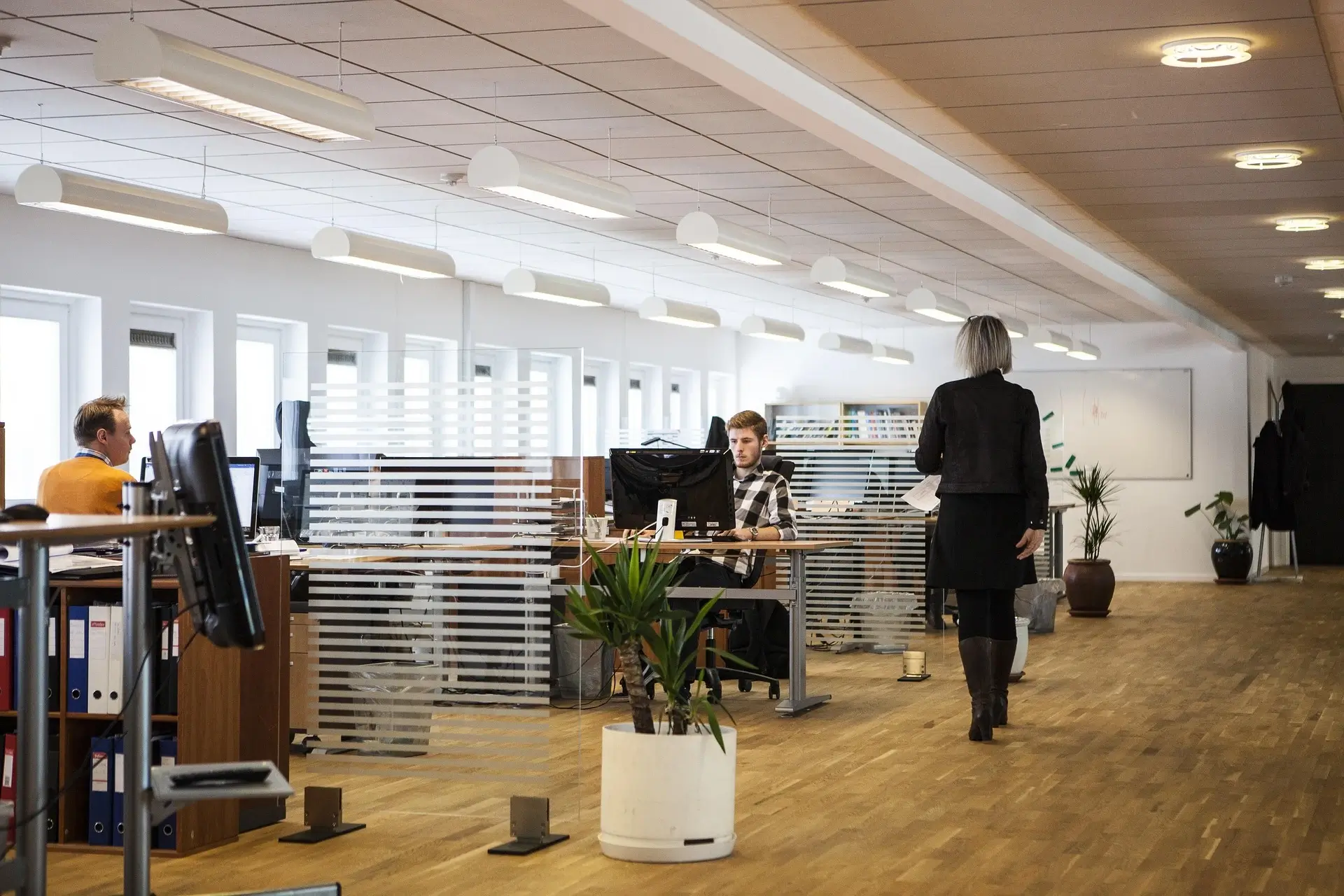

You’re reading this because you care about more than “just a desk and a chair.” You care about making your workspace work for you—so you don’t end every day sore, stiff, unfocused. Let’s get honest: too many “office design” posts skim the surface. I’ve spent enough hours in still‑bad chairs, wrong desk heights and mis‑matched furniture to know the difference between “it’ll do” and “it supports you.” Below is a comprehensive, actionable guide to ergonomic furniture and office design—rooted in the science and tempered with real‑world grit.
1. Why ergonomics and furniture matter (and why many ignore it)
First things first: one of the biggest leverage points in office design is furniture + ergonomics. Get it right = less fatigue, fewer aches, sharper focus. Get it wrong = you’re hacking through the day, compensating, losing mental bandwidth.
The cost of ignoring it
- Studies show prolonged sitting in non‑ergonomic setups creates musculoskeletal disorders (MSDs) and fatigue.
- Poor furniture design doesn’t just hurt backs—it hurts productivity, morale, and increases absence.
- Many setups are still one‑size‑fits‑all, rather than tailored to human variety.
Why furniture is more than aesthetics
Furniture isn’t just about how your office looks. It’s how your body feels, how you move across the day, how much mental energy you waste fidgeting. Ergonomic furniture adapts to you (or lets you adapt it), rather than forcing your body into odd angles.
So if you want a comfortable office: treat furniture + ergonomics as non‑negotiable foundation.
2. Key ergonomic furniture elements in the office
Below, I break down the major furniture pieces and what “doing them right” really means. No fluff, actionable.
Office chair: the anchor piece
Your chair is the workhorse of your setup—it supports your body, your spine, your posture day in, day out.
What to check and configure:
- Seat height: Your feet should rest flat on the floor (or a foot‑rest if needed), thighs roughly parallel to the floor. If your seat is too high or too low, you’ll shift into bad postures.
- Seat depth: The front edge of the seat should be 2‑4 inches from the back of your knees. Too deep and you’ll slump; too shallow and you lose thigh support. Research shows seat depth matters for comfort and strain.
- Lumbar support/backrest: The chair should support the natural S‑curve of your spine—especially that lower lumbar. Some chairs adjust lumbar depth, height, or firmness. This supports the ‘total spinal support’ principle.
- Armrests: Should support your arms without forcing your shoulders upward. They ideally adjust in height, width, maybe angle.
- Materials and movement: Breathable materials help; but just as important: movement. Research from major manufacturers shows seated people shift torso ~50 + times/hour. Good chairs support movement, not just static posture.
Desk (and sit‑stand variation)
Your desk is more than a surface. It determines how your arms move, your monitor height, your reach—and sits in direct tension with your chair and posture.
What to configure:
- Height: When seated, your forearms should be roughly parallel to the floor, elbows at ~90°. If the desk is too high, shoulders elevate; too low and you hunch.
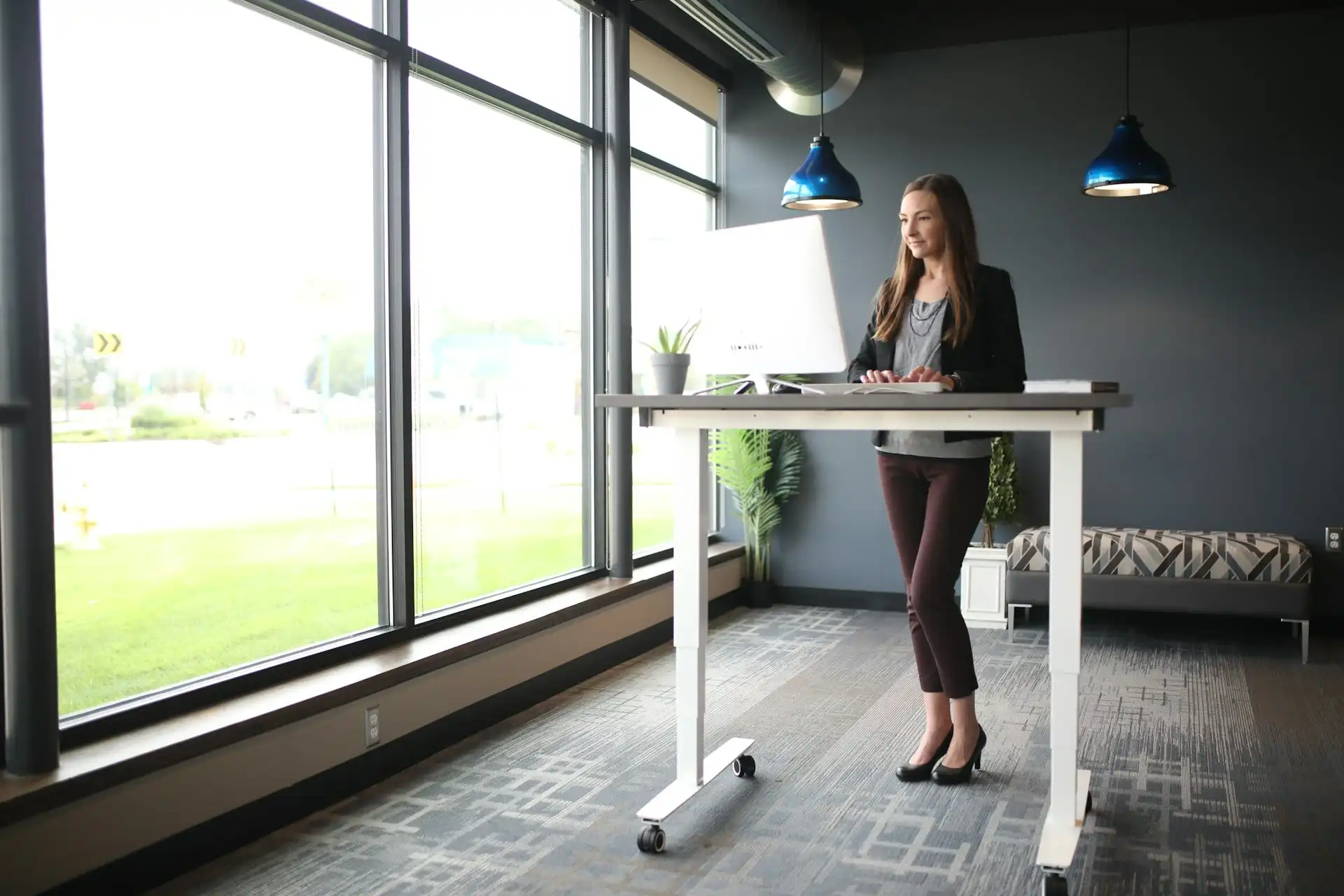
- Sit‑stand desks: These are a huge “upgrade move.” The ability to alternate between sitting/standing breaks prolonged static posture, boosts circulation and reduces risk of MSDs.
- Monitor height & distance: The top of your monitor should be around eye level; you should be able to view without tilting your neck. Distance: ~arm’s length, sometimes less depending on screen size.
- Desk depth/clearance: Enough space for your legs, for your movement—and your items without clutter. Having to lean in or crane incorrectly fatigues posture.
Complementary furniture: storage, lighting, accessories
Don’t ignore the “other” stuff—they matter for comfort and efficiency.
- Storage/cabinets: Shouldn’t force you to twist or reach awkwardly to get files. Good layout = minimizing repetitive reaching or awkward movement.
- Lighting & glare: While not “furniture” strictly, poorly placed lighting can force awkward lean/tilt of your body or monitor, creating strain.
- Accessories: Foot‑rests for shorter users, monitor arms for flexibility, keyboard tray or stand if needed. Ergonomics is about customizing the setup to your body & work style.
3. Designing for your body, not someone else’s
Here’s where many offices fail: assuming “average” = good enough. But you’re not average. (And neither is your team.)
Anthropometry and adjustability
Furniture that doesn’t adjust forces you to adapt your body—bad move. Research shows a large mismatch between furniture and body dimensions leads to discomfort, fatigue, and risk.
Instead: choose furniture with a range of adjustability—height, depth, angle. Then spend the time to adjust it properly.
Movement and posture variation
Even the best chair is not a “sit still for 8 hours” solution. Your body expects movement. Static postures build tension. Good ergonomic design gives you the ability to shift posture, recline a bit, stretch, alternate between sitting & standing.
Work style, tasks, and environment
One size doesn’t fit all. If your work is intensive typing, your posture and needs differ vs. someone on frequent phone/video calls, or someone sketching/designing. Match the furniture to your tasks. For example: if you often lean forward to scribble or review printouts, your chair must support forward tilt; monitor height may differ.
If you’re in a home office: you’re likely more flexible—but may have distractions, less dedicated space. Share space: your furniture must suit multiple people (adjustability becomes more critical). Hybrid work? Your furniture must shift between modes. In short: design for the context.
4. Layout, flow and environment: beyond the chair & desk
Furniture + ergonomics is not just about individual pieces. It’s about how the space works, how you move, how you feel.
Workflow and reach zones
Design your layout so that frequently‑used items are within comfortable reach. If you’re twisting every time to grab something behind you, that’s repeated strain. Keep items like printers, reference materials, phone within the “primary reach zone”. Less used items can sit further away.
Movement pathways
Encourage movement. E.g., a sit‑stand desk is helpful—but also think about: can you stand and stretch, walk for a minute, alternate tasks? A layout that traps you in one posture is a lost opportunity.
Lighting, sound, temperature
Ergonomics extends to your senses. Too bright/harsh light causes you to squint or lean; noisy environment may cause you to tense shoulders unconsciously; uncomfortable temperature influences posture and focus. Furniture should work with environment, not fight it.
Aesthetics + comfort = culture
Don’t dismiss “feel”. A space you like, that feels comfortable and designed for you, reduces psychological friction. You’ll sit better, move more, feel better. This is one of the subtle leverage points: design that says “you matter”.
5. Choosing furniture: what to invest in and what to compromise on
You probably have a budget. Let’s be strategic about it.
Prioritize for impact
- First place: Your chair. This is the highest‑leverage piece.
- Second: Your desk (especially adjustable sit‑stand) or monitor placement & accessories if your desk is fixed.
- Third: Complementary pieces (foot‑rest, keyboard tray, storage) & environment tweaks.
Where you can compromise
- Storage pieces: Unless they force you into bad movements, you might accept simpler models.
- Aesthetics vs adjustability: Good function over style in core pieces; later refine style.
- If budget is tight: choose a good chair + standard desk, then plan to upgrade desk later. You’ll still get major benefit.
- Adjustability: At minimum, height and back tilt for chair; height for desk.
- Materials: Breathable, durable. Mesh/back support is better than cheap flat padding.
- Movement support: Recline, arm‑rest adjustability, multiple positions.
Premium features (nice but optional): auto‑adjust lumbar, memory settings, ultra‑premium finishes. Remember: a “decent” ergonomic chair beats a “luxury but non‑adjustable” chair any day.
6. Set‑up checklist: how to tune your office for comfort
Here’s a walk‑through you can apply right now. Get up and adjust.
- Chair height: Adjust so your feet rest flat, thighs parallel or slightly downward, knees at roughly 90°. If your feet dangle—use a foot‑rest.
- Seat depth: Slide forward/back so about 2–4 inches between front edge of seat and back of knees.
- Backrest/lumbar: Sit back fully and adjust lumbar support to the curve of your lower back. If reclined, check that the spine still feels supported.
- Armrests: Adjust height so your shoulders relax, elbows roughly close to body, forearms surface‑aligned. If they push your shoulders up = too high.
- Desk height: With your chair set, adjust desk (if adjustable) so forearms are parallel; wrists are straight when typing; monitor top is at or just below eye level.
- Monitor distance: About an arm’s length away (or more depending on screen size); tilt slightly if needed.
- Sit‑stand alternation: If you have a sit‑stand desk: alternate sitting/standing every 30–60 minutes to keep moving.
- Check movement: Can you lean, recline, shift without feeling locked? Good. If you’re rigidly fixed = recurring discomfort ahead.
- Reach zones: Ensure frequently used items (keyboard, mouse, phone, reference docs) are within your comfortable reach zone—not forcing you to twist or stretch.
- Lighting & environment: Check for glare on the screen, adequate lighting (task & ambient), comfortable temperature, low noise. If any environmental element forces you to adopt a weird posture, correct it.
Do this once, then revisit after a week: how do you feel at end of day? If you’re still sore, adjust again.
7. Culture & habit: furniture alone won’t do the job
Even the best furniture won’t fix everything if your habits are poor. Think of furniture as support—but you must move, shift, use it right.
Encourage posture variation
Set reminders: stand up, stretch, walk every 30–60 minutes. If you ignore movement, you’ll still accumulate load just in a better chair. Your body expects variation.
Training & awareness
If you work with a team (or yourself), make sure everyone knows how to adjust their chair, monitor, desk. One size doesn’t fit all. Periodic check‑ins help.
Maintenance
Furniture wears. Regularly check levers, adjustment mechanisms, materials. A chair that stops adjusting or becomes uncomfortable is a hazard waiting to escalate.
Glad you invested
If you spent money on ergonomic pieces, treat them like tools. Use them. Adjust them. If you set it and forget it, you waste the investment. The ROI is in the use, not the purchase.
8. Future trends and unique insights
Here are some insights that go beyond the standard advice—things many overlook.
- Data shows: movement beats perfect posture. Yes posture is critical—but variation is more essential. Chairs and workstations that support multiple postures win.
- Furniture design must consider diverse body types. Research shows many furniture ergonomics studies neglect gender or cultural anthropometric variation.
- Office furniture as ‘strategic investment’. Organizations see ergonomic investments as human‑capital strategy—not just comfort. (Reduced absence, improved productivity)
- Home‑office ergonomics = new frontier. With remote/hybrid work, ergonomic furniture and setups now span home + office: furniture must transition between modes.
- Smart furniture & sensors: Emerging tech is monitoring posture and providing real‑time feedback to adjust furniture or prompt movement. This is still early, but worth watching.
So: if you position your office for today and tomorrow, you win.
9. Final takeaways & action plan
Let’s cut to the chase: you now know what matters. Here’s an action plan:
- Today: Measure your current setup. Identify the worst pain points (chair height? desk too high? monitor too low?).
- This week: Adjust your chair, desk, monitor using checklist above.
- Within 30 days: Evaluate how you feel at end of day. If still issues, iterate adjustments or consider replacing furniture that lacks proper adjustability.
- Ongoing: Build movement into your day. Set timers or habits to shift. Educate anyone sharing space.
- Budget tactically: If you must buy, invest first in the chair. Then desk. Then accessories.
- Track ROI: If you manage a team or organization: track absence, comfort feedback, productivity before/after ergonomic upgrades.
At the end of the day: a comfortable office is not a luxury—it’s a productivity engine and health shield. If you do this right, your body thanks you, your mind thanks you, your work results thank you. Now go adjust that chair and stop sitting like you’re waiting for overtime.