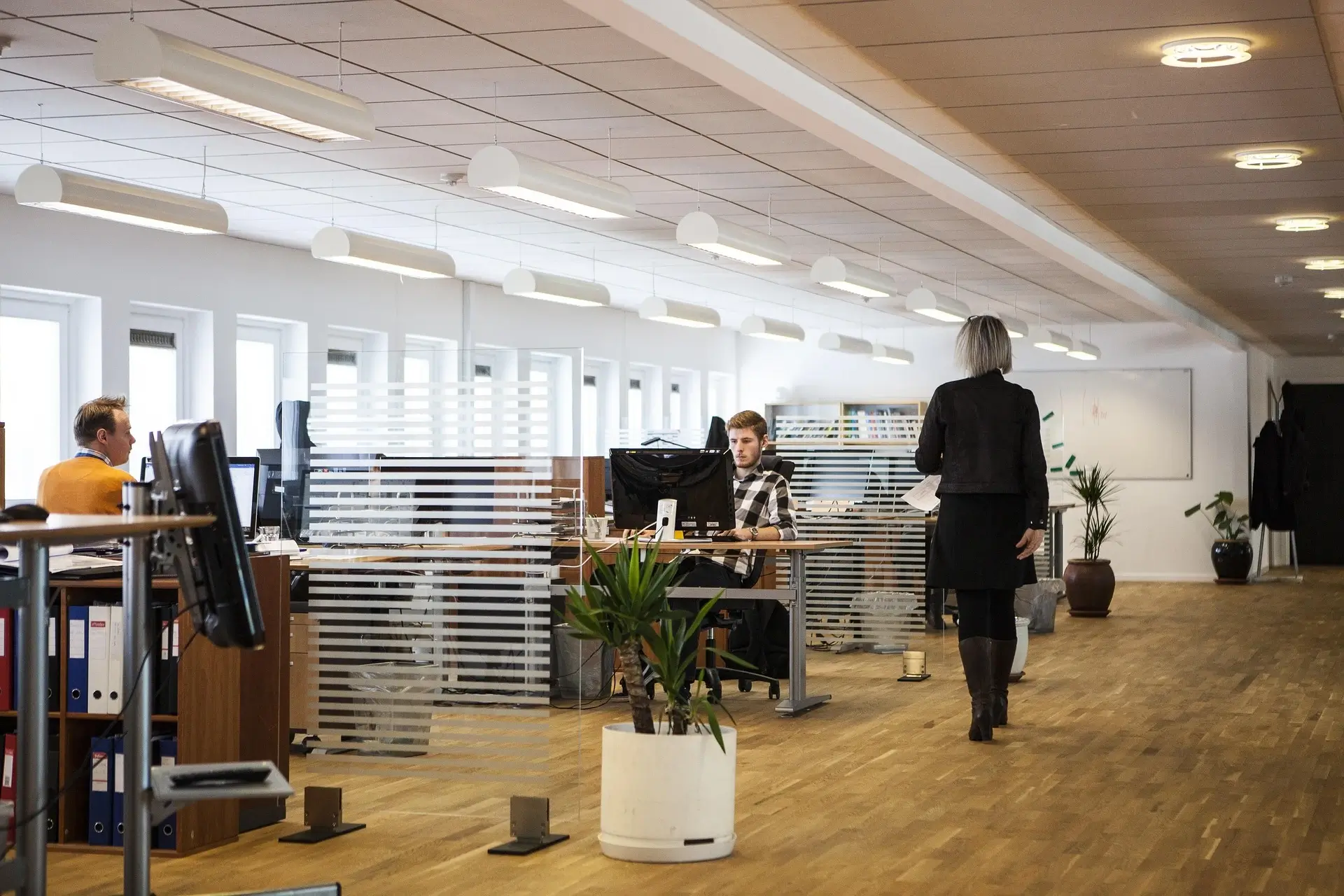

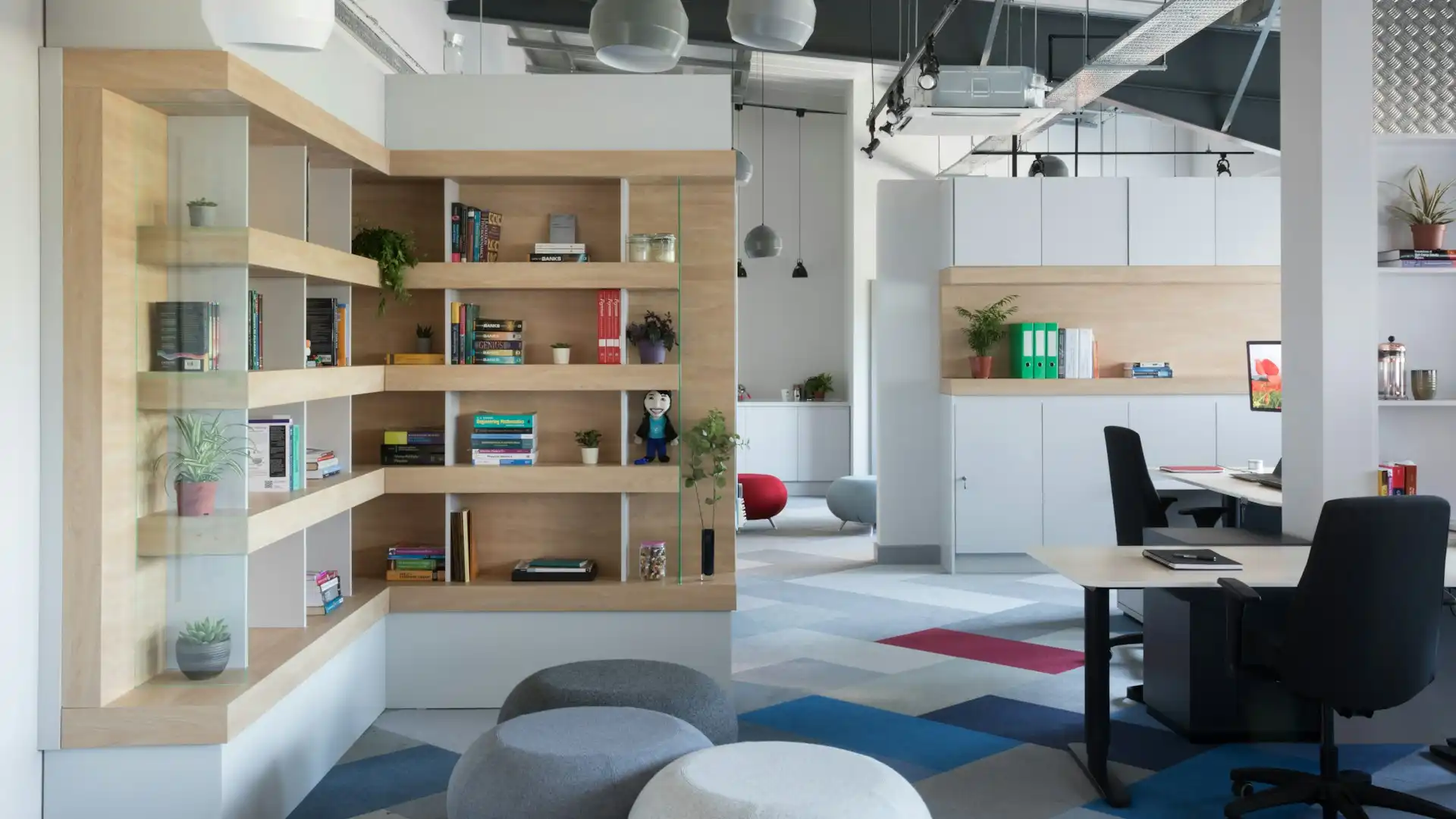
Let’s dive in. If you’ve been in the workplace design or operations realm for a while, you know that moving offices is costly, disruptive and often unnecessary. The smarter play is: reconfigure what you already have. You’ll save time, money and retain continuity — while still getting more usable space, better layouts and higher productivity. I’ll walk you through the why, the how, the pitfalls, and key actionable steps so you can treat this like a project, not an aspirational blog post.
1. Why Reconfigure Rather than Move?
Many organisations immediately think “we’re cramped” → “must move”. But moving is the easiest option, not the smartest. From my experience, reconfiguration often gives you 80-90% of the benefit for far less cost and disruption. Here are the major reasons:
- Cost-effectiveness: A relocation means new lease terms, build-out costs, downtime, moving labour, potential higher rent, new licences, etc. Reconfiguring your current footprint simply tweaks layout, furniture, workflow and usage.
- Minimal disruption: You keep your address, you keep momentum. When teams aren’t moving address, they lose fewer days, fewer IT glitches, fewer surprises.
- Better ROI on existing investment: You already own or lease the space, have infrastructure (power, data, HVAC) in place. Reconfigure to use it smarter rather than abandon it. As one industry guide noted: reconfiguration is often the first option because you get more value from your existing investment.
- Faster execution: Layout tweaks, partition changes, new furniture, storage optimisation — these are far quicker than a full move.
- Flexibility built-in: If done right, a reconfigured space can adapt to changing business needs, hybrid working, growth/shrinkage, rather than set you in a static new location.
So if your goal is “get more usable space, better productivity, fewer wasted square feet” — reconfiguration should be your immediate lever.
2. Start With Diagnostics: What’s Actually Wrong?
Before ripping out desks, buying new furniture or redrawing floor plans, you need to understand what’s broken. Here’s a diagnostic checklist I’ve used many times:
- Space utilisation audit: Which desks, rooms, meeting spaces are being used? Which are under-utilised or empty most of the day? Some research says poor layouts and unused space quietly rack up costs and hurt productivity.
- Flow & traffic mapping: How do people move through the space? Where are bottlenecks? Is there wasted corridor, redundant aisles, awkward circulation?
- Furniture & storage footprint: How much square footage is being swallowed by large fixed desks, bulky storage, redundant cabinets? Could some of that be freed?
- Work styles & zones: Do you have a mix of focus work, collaborative work, hybrid/remote work? Are these needs being met or forcing people into inefficient layouts? Guides emphasise that layout must reflect both business goals and employee working styles.
- Technology / infrastructure constraints: Are desks located based on power/data access rather than ideal settings? Are there unused meeting rooms simply because of poor tech setup?
- Acoustics, lighting, comfort: These “soft” elements often sabotage good layouts (people avoid spaces because they’re noisy, dark or uncomfortable).
- Unused niches: Are there corners, under-ceiling areas, voids, high ceilings that could be repurposed for storage or breakout zones? For instance one article flagged vertical expansions, mezzanines, tall shelving to unlock hidden capacity.
Spend the time on this diagnostic. If you skip it, you’ll reconfigure based on gut rather than data — and waste money.
3. Establish Clear Goals & Constraints
Once diagnostics are in hand you must define what success looks like. Without clear targets you’ll wander. Some example goals:
- Increase usable workstations by X% without expanding footprint.
- Reduce meeting room unused time by Y%.
- Reallocate under-used storage area to breakout collaboration area.
- Improve flow so average path from desk to meeting room is under Z metres.
- Reduce cost per workstation (rent + occupancy) by A%.
Also set constraints: budget, timeline, minimal downtime, lease restrictions, structural limitations, HVAC/ceiling heights, utility access. Define what you can’t change so you stay realistic.
4. Design-Phase: Layout, Furniture & Zoning
Here you get into the nuts and bolts. This is where you earn high leverage. I’ll break this into sub-components.
4.1 Zoning Based on Work Styles
Modern offices are less “everyone at a fixed desk all day” and more “hybrid, fluid, multiple work modes”. To optimise you need zones:
- Focus/Quiet Zone: For deep work, low distractions.
- Collaborative Zone: For team discussions, brainstorms, white-boards.
- Social/Breakout Zone: Informal meetings, cafes, standing chats.
- Hot-desking/Shared Zone: Especially if hybrid work: desks that aren’t permanently assigned.
- Support/Storage Zone: Non-client facing but necessary equipment, filing, etc.
Assign each zone in your layout deliberately. One article says: “Your office space should reflect your business goals and support employee needs” — e.g., growth, innovation, scaled teams.
4.2 Furniture and Storage Optimisation
Furniture often eats space silently. Key moves:
- Replace oversized fixed desks with smaller footprint modular desks or benching systems.
- Use modular furniture & moveable partitions so you can reconfigure in future without full rebuild. Modular makes adaptability possible.
- Use vertical storage (tall shelving, ceiling-height cabinets) to free floor space. One article: tall shelving = more floor space.
- Choose mobile storage carts, mobile cabinets – they allow flexible arrangement and adapt to shifting needs.
- Clear clutter: digitise documents, reduce redundant filing cabinets. A lot of space is wasted in archives, storage rooms.
- Lean on ergonomic furniture: comfortable chairs and desks allow tighter layouts while keeping user comfort high. Poor furniture = more space per person to compensate.
4.3 Layout & Circulation
- Minimise wasted corridors. Use desks, storage, walls to define clear pathways rather than random empty space.
- Orient workstations near natural light where possible — this improves wellbeing and gives a feeling of openness.
- Avoid “islands” of desks separated by big empty zones. Aim for contiguous clusters, with buffer zones.
- Consider acoustics: in open layouts sound travels; use partitions, acoustic panels, zoning to mitigate distractions. One article flagged acoustics as a design factor.
- If your office has high ceilings or under-utilised vertical space, you might consider mezzanine, or elevated storage/loft to gain more usable floor area.
4.4 Technology & Infrastructure Alignment
- Ensure power/data outlets align with desk locations. Avoid awkward furniture placement because of bad wiring.
- Use room-booking technology to monitor meeting room usage. Under-used rooms = wasted real estate. Some space-planning articles emphasise using data.
- Consider hybrid working tech: video conferencing, hot desk booking, flexible connectivity — if employees are hybrid, you may require fewer desks thus freeing space.
5. Implementation: Step-by-Step
Having a great plan is good, but execution is where results happen.
5.1 Phased Approach
Break your reconfiguration into phases to reduce disruption:
- Pilot zone – pick a smaller area of the office to test the new layout/furniture. Evaluate before full rollout.
- Main rollout – implement across larger area once you’ve ironed out issues.
- Review & optimise – after people have settled, get feedback, monitor usage, tweak as needed.
5.2 Communication with People
People resist change. If you don’t manage it, layout change becomes friction. Steps:
- Inform staff of “why” (not just what). Connect layout change to business benefit (better collaboration, comfort, future growth).
- Involve staff early: ask what works/doesn’t in current layout. Your diagnostics should include employee feedback.
- Provide clear move-day instructions: which desks move, when, how labelling works.
- Provide training if furniture is new/modular or if booking or hybrid tools are introduced.
5.3 Furniture Removal & Installation
- Remove redundant furniture or storage early. Freeing the space helps visualise new layout.
- Install modular desks/partitions as per plan. Ensure vendors know the layout precisely.
- Set up infrastructure: power/data, lighting, acoustics, signage.
- Test everything: desks, chairs, tech, booking systems. This testing prevents “works on paper but not in practice”.
5.4 Monitoring & Fine-Tuning
- After moving employees into the new layout, monitor for 2-4 weeks: Are some areas still unused? Are people complaining about flow/traffic?
- Use data: room booking stats, desk utilisation, feedback surveys. Articles emphasise that optimisation is ongoing, not one-off.
- Make adjustments: shift a zone, adjust furniture, tweak a partition. Document changes for future reference.
6. Common Pitfalls & How to Avoid Them
Having done dozens of these projects, I’ve seen recurring mistakes. Here are the key ones:
- Skipping diagnostics/planning: If you jump to furniture first, you might fix aesthetics but not workflow. One article called this a major mistake in space optimisation.
- Over-optimising for peak occupancy: If staff are hybrid, you may design for full staff presence which rarely happens. Use real utilisation data.
- Prioritising cost or aesthetics over people needs: A beautiful layout means nothing if people avoid it because of discomfort or poor acoustics.
- Not future-proofing: You do this once, hopefully every 5-10 years. Build flexibility in. Use modular furniture, movable partitions, multi-purpose zones.
- Neglecting the human factor: Change management matters. If people aren’t consulted, you’ll face resistance, hidden workarounds, poor adoption.
- Poor infrastructure alignment: Desks placed without checking power/data, or meeting rooms without correct tech – leads to frustration, under-use.
- Ignoring storage and clutter: Even if you optimise desks, if you leave bulky storage or messy archives, the space feels used up regardless. One article emphasised effective storage is key.
7. Real-World Example: Office Reconfiguration in Action
To bring this alive, here’s a simplified real-world scenario (fictionalised but grounded in real practice) of how I did it.
Company X: mid-sized tech firm, 6,500 sq ft floor, 70 staff. Many were hybrid (3 days in office, 2 days remote). They felt cramped, meeting rooms often sat empty, a bulky storage zone ate up 300 sq ft.
Steps we took:
- Diagnostics: We tracked desk occupancy for two weeks, found actual in-office headcount averaged 45 on any given day. Many desks empty. The storage room used at 25%.
- Set goal: Reduce footprint needed per person, accommodate 80 headcount without moving, repurpose storage to team collaboration zone.
- Zoning: Focus zones at perimeter (natural light), collaboration zones central, hot-desk zone for hybrid workers, storage moved to vertical shelving along walls.
- Furniture: Replaced fixed desks (6×8) with modular benching 5×6 footprints. Installed tall shelving along one wall. Added movable partitions near breakout zone.
- Layout & flow: Eliminated redundant corridors; created a diagonal “spine” pathway linking reception → breakout → meeting rooms. Meeting rooms updated with hybrid-tech.
- Implementation: Pilot in one wing for 10 staff. After 2 weeks, staff feedback positive, meeting room utilisation improved.
- Full rollout. Post-go-live: They freed ~800 sq ft of usable space (which could be repurposed for a new project team rather than leasing extra space).
- Monitoring: After 3 months, desk utilisation averaged 60% of capacity (matching hybrid model), meeting room idle time reduced by 40%. Staff reported improved interaction and fewer bottlenecks.
Results: Major cost saving avoiding new lease, improved employee experience, better space utilisation.
8. When Reconfiguration Isn’t Enough
There are scenarios when reconfiguration hits its limits and you ought to consider other options. Just know when to spot it.
- Structural constraints: If your ceiling height is so low, or your floorplate is extremely inefficient, you might get diminishing returns.
- Growth beyond existing capacity: If your headcount will double in short timeframe, you may outgrow even a well-configured space.
- Strategic relocation triggers: If your company needs a different location (closer to talent, different market, branding presence) then move may make sense.
- Lease flexibility: If your existing lease is ending and you can move to better terms, the economics might shift.
In those cases, reconfiguration should still be your first phase — because even if you later move, you’ll learn a lot from the exercise that your new space can incorporate.
9. Future-Proofing & Continuous Improvement
Don’t treat the reconfiguration as a one-and-done. The real value comes when you build in a mindset of continuous improvement.
- Review utilisation every 6-12 months: Use sensor data or booking logs to see patterns shifting.
- Keep modular and flexible furniture: So you can adapt quickly.
- Stay aligned with work model: Hybrid, remote, flexible schedules will influence spatial needs.
- Document your layout decisions and feedback: This becomes institutional knowledge.
- Treat the office as a dynamic asset, not static real estate.
One expert piece noted: optimising office space is ongoing, not a single fixed task.
10. Quick Checklist to Get Started
Here’s a short actionable checklist you can print and start working through:
- Conduct space utilisation audit (desks, meeting rooms, storage)
- Map current traffic, flow, zones, bottlenecks
- Gather employee feedback on current layout experiences
- Define key business goals & constraints for your office footprint
- Draw zoning plan: focus, collaboration, hot‐desk, storage zones
- Select furniture/ storage/ partition strategy (modular, vertical, mobile)
- Align layout with infrastructure (power/data/outlets, lighting, acoustics)
- Pilot a zone before full rollout
- Communicate change and manage move phases
- Monitor post-implementation utilisation and feedback
- Set review rhythm (6-12 mo) and budget for adjustment
11. Summary
If I were to summarise the core message: you don’t have to move to gain more and better space. By digging into the data, designing with purpose, choosing flexible furniture, aligning with how people actually work today, and leaning on a disciplined implementation plan, you can unlock real square-footage gains and improve how the space works for people and business. The reconfigured office becomes a strategic asset rather than a compromise.